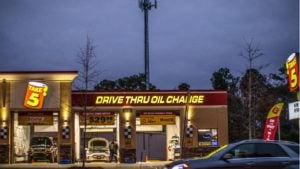
What Is a Drive-Thru System?
A drive-thru system is a vehicle-based ordering and fulfillment model in which customers place, pay for, and receive an order without leaving their car, moving through a dedicated lane from an outdoor ordering point to a service window. Three components make up every drive-thru: the ordering point (a speaker post or digital kiosk where the order is placed), the payment station (a terminal at the service window that processes card, contactless, or mobile payment), and the handoff window (the physical point where the completed order is passed to the customer).
Fast food chains, coffee shops, pharmacies, cannabis dispensaries, and convenience stores all operate drive-thru systems each adapted to their transaction type, compliance requirements, and throughput targets.
History of the Drive-Thru From Pig Stands to AI Ordering

The drive-thru evolved through a century of operational problem-solving. Each milestone solved a specific constraint the previous model couldn’t.
1921 – The Pig Stand, Dallas, TX. The first car-service restaurant established that customers would pay for the convenience of not leaving their vehicle. Carhops brought food directly to the window.
1948 – Red’s Giant Hamburg, Springfield, MO. Royce Hailey opened the first true drive-thru window: a service opening in the building wall where customers pulled alongside and received their order. The lane-and-window model was born.
1951 – In-N-Out Burger, Baldwin Park, CA. In-N-Out introduced the first speaker-post intercom system, allowing customers to place orders at a distance staff could begin preparing before the vehicle reached the window.
1969 – Wendy’s dual-window system. Wendy’s separated payment and pickup into two distinct windows, enabling parallel processing: one vehicle pays while the next collects its order. This is still the standard throughput model in high-volume QSRs today.
1975 – McDonald’s first drive-thru, Sierra Vista, AZ. Built to serve military personnel restricted to their vehicles, this location launched a format that would account for the majority of McDonald’s U.S. sales within a decade.
1990s–2000s – Digital POS and timer systems. Drive-thru operations gained real performance data for the first time. Timer systems began tracking vehicle progress by stage, making speed-of-service a measurable, optimizable metric.
2020s – AI ordering, camera analytics, and predictive systems. AI voice ordering, real-time digital menu boards, and camera-based vehicle detection have turned the drive-thru into a data-driven, software-integrated operation.
How a Drive-Thru Works Today
The Physical Layout

The drive-thru layout begins at the entry point, typically marked with directional signage that channels vehicles from the parking lot or street into a single (or dual) lane. A pre-sell board positioned before the order point gives customers time to browse and decide before reaching the speaker.
The speaker post or order point is the designated position where the customer communicates their order. Beyond it, the lane routes vehicles past the payment window, then to the pickup window, where the completed order is handed off. The entire lane geometry is designed to keep vehicles moving in one direction at controlled spacing, preventing backups that block street access.
The Ordering Stage

Customers place orders at the drive-thru service point using one of three methods.
The traditional intercom/speaker system connects the customer directly to a staff member wearing a headset inside. The operator takes the order verbally, inputs it into the POS system, and repeats it back for confirmation.
Digital kiosk ordering uses a touchscreen display mounted at the lane. Customers browse a digital menu and self-select items, reducing staff workload at the order point and improving accuracy for complex or customized orders.
AI voice ordering is an emerging and increasingly practical option. An AI system handles the conversation using natural language processing, captures the order as structured data, and repeats it back without human involvement. For high-volume lanes, this removes a staffing bottleneck entirely.
Mobile pre-ordering is also changing at this stage. Customers who order via app before arriving skip the speaker entirely and proceed directly to the pickup window; the lane becomes a fulfillment point, not an ordering point, for that transaction.
The Processing Stage

Once an order is submitted, the POS system routes it to a fulfillment display, typically a Kitchen Display System (KDS) or equivalent back-of-house screen that shows each order, the time it was placed, and its priority in the queue. Staff act on it in sequence, prepare or retrieve the item, stage it for handoff, and mark it ready.
What “processing” means varies by business type. In a cafe, it’s a barista pulling shots and steaming milk against a timed queue. In a pharmacy, it’s a technician locating a prescription, verifying the patient record, and completing the dispensing workflow. In a cannabis dispensary, it’s a staff member confirming product eligibility against the customer’s purchase history before anything is bagged. In a c-store, it’s a clerk assembling a grab-and-go order in under 60 seconds. The fulfillment content changes; the digital routing logic is identical.
The display system eliminates handwritten tickets and reduces the gap between order submission and back-of-house acknowledgment to seconds. Workflow coordination at this stage who retrieves, who verifies, who stages determines whether fulfillment keeps pace with lane throughput, regardless of what’s being fulfilled.
The Handoff Stage

The drive-thru window is the physical point where payment and order handoff occur. A payment processing terminal at the window handles card, contactless, and mobile payment. Once payment is confirmed, the bagged and verified order is passed to the customer along with a receipt. Mobile payment options, including tap-to-pay and app-based wallets, are now standard expectations at the window and reduce transaction time by 15–20 seconds per vehicle.
How It Differs by Industry
The four-stage model adapts significantly across verticals.
Fast food / QSR operations prioritize maximum throughput. Dual-lane configurations, AI voice ordering, and automated beverage dispensing are standard at high-volume locations.
Cafes and coffee shops operate with a smaller physical footprint and a single lane. Digital menu boards focus on upsell prompts seasonal items, add-ons, size upgrades since the average ticket value per transaction is a key revenue lever.
Pharmacies add a HIPAA-compliant order confirmation stage, often with a privacy screen to shield prescription details from other vehicles.
Cannabis dispensaries integrate compliance menu boards that display only products the customer is legally eligible to purchase, plus an ID verification stage before any transaction proceeds.
Convenience stores and gas stations use fuel island displays and quick-transaction models optimized for the highest possible turnover speed, where the average transaction is under 90 seconds.
The Problems Drive-Thru Systems Solve
Drive-thrus were not invented for convenience alone; they were engineered to solve specific operational and customer-facing problems that indoor-only service cannot fix. Each problem below has a direct operational cost if left unaddressed; each drive-thru feature described is the specific solution.
Slow Service and Long Wait Times
Counter service has one fatal constraint: a single transaction point where ordering, payment, and handoff all happen in sequence. One slow customer stalls everyone behind them. A drive-thru breaks that by enabling parallel processing one vehicle pays while the next orders while the one after queues. A drive-thru timing system tracks every vehicle through every stage, pinpointing exactly where delays form. Faster turnover means more customers served per hour and that translates directly to revenue.
Fixed Indoor Capacity Limits
A full dining room is a hard stop. No new customer generates revenue until a table turns and table turns are slow. A drive-thru lane removes that ceiling. A single well-designed lane processes a vehicle every 2–4 minutes regardless of how many seats are occupied inside. For a cafe hitting capacity at peak hours, the lane doesn’t supplement indoor revenue; it keeps the business generating income when the dining room physically can’t.
Environmental Obstacles - Weather, Mobility, and Time
Drive-thrus solve three problems that indoor service structurally cannot.
- Weather: Customers receive their order without leaving a temperature-controlled vehicle. Rain, extreme heat, and cold stop being barriers to a purchase.
- Mobility: Customers who cannot easily leave their vehicle elderly individuals, parents with young children in car seats, customers with disabilities have full access to the same menu and service as walk-in customers.
- Time pressure: A customer on a 30-minute lunch break cannot afford to park, walk in, queue, wait for a table, order, and wait again. The drive-thru order fulfillment model compresses the entire transaction into 3–5 minutes without sacrificing the order.
Low Order Accuracy
Verbal ordering through an intercom under real-world conditions background noise, accents, complex customizations, peak-hour pressure produces errors. Errors mean remade items, wasted stock, and customers who don’t come back. The modern fix is layered: order confirmation screens let customers catch mistakes before payment; KDS routing sends structured data directly to the back of house; AI voice ordering captures orders with no misread risk. Accuracy is a retention metric, not just an operational one.
Why Drive-Thrus Are Essential for Modern Cafes

The drive-thru business model fundamentally changes the economics of a cafe. Per-transaction cost is lower, no table service, no bussing, no turnover lag between seatings. Throughput is higher: a single lane can serve 20–30 cars per hour versus 2–3 dine-in table turns in the same window. The staffing ratio per order is more efficient because one window operator manages far more transactions than an in-store counter cashier. For cafes that add a lane, the math shifts quickly.
Increased Revenue and Sales Volume
Drive-thru channels account for more than 70% of fast-food revenue in the U.S. The mechanism is straightforward: more vehicles served per hour, multiplied by a higher average transaction value driven by digital upsell prompts on menu boards, produces a direct revenue lift. For high-traffic cafe locations, the lane doesn’t supplement indoor revenue; it becomes the primary revenue channel.
Faster Service and Higher Customer Satisfaction
Speed and satisfaction are directly correlated in the drive-thru context. According to the 2025 Drive-Thru Study by Intouch Insight, 90% of consumers rank speed as their top priority above price, menu variety, and location. Every additional minute in the lane erodes the likelihood of a return visit.
Drive-thru timer systems make wait times visible to staff in real time. When the display shows a vehicle has been in the lane for three minutes, the team knows and responds. That accountability alone reduces average service times at most operations within the first month of deployment.
Better Operational Efficiency Compared to Dine-In-Only Models
One drive-thru cashier manages two to three times more transactions per hour than an in-store counter cashier. Kitchen output stays constant throughput increases without adding headcount. That ratio is the core efficiency argument for the drive-thru model.
Integrated POS systems add another layer of efficiency: real-time inventory tracking tied to order data reduces overordering and waste. When the POS system knows how many units of a menu item have been sold in the current shift, purchasing and prep decisions become data-driven rather than guesswork.
Increased Customer Reach
A drive-thru captures customers that an indoor-only cafe structurally cannot. Commuters who cannot find parking. Parents who won’t unbuckle children for a 5-minute coffee run. Customers with mobility limitations for whom “just pop inside” is not a simple request. Time-pressed professionals whose lunch break cannot absorb a dine-in experience.
Mobile ordering extends this reach further. Customers who pre-order via app and use the lane for pickup bypass the indoor queue entirely. They were never going to walk in — but the drive-thru lane converts them into paying customers.
The Rise of "Grab-and-Go" Consumer Behavior
Consumer behavior has shifted permanently toward speed and frictionlessness. Contactless payment, app-based ordering, curbside pickup, and delivery services have trained customers to expect minimal wait and zero friction in every transaction. Drive-thru transactions meet the consumer expectation for minimal wait and frictionless service established by contactless payment and app-based ordering.
How to Integrate a Drive-Thru Into Your Existing Cafe
Integrating a drive-thru into an existing cafe requires six sequential stages: zoning, space assessment, layout design, technology installation, staff training, and systems integration. With the right planning and the support of modern restaurant drive-thru solutions, like those provided by Stream, you can expand your service without disrupting your current operations. This step-by-step guide walks you through each stage, from initial feasibility to full launch, so you can implement a drive-thru that’s efficient, scalable, and aligned with your café’s workflow.
Zoning and Permits
Before any physical or financial commitment, confirm that local zoning laws permit a drive-thru at your specific address. Many commercial zones allow drive-thrus; mixed-use and residential-adjacent zones often don’t, or impose restrictions on lane orientation, hours, or signage.
You will typically need: a zoning approval or variance confirming the drive-thru use is permitted, a planning or building permit for any construction affecting the building footprint or lot, a health and safety approval for the food service window itself (inspection requirements vary by jurisdiction), and signage permits covering your exterior menu board and directional lane markers.
Start the permit process as early as possible. Approvals can take 6–12 weeks in many municipalities, and construction cannot begin before they are issued.
Assess Your Physical Space
Evaluate whether your current layout supports a drive-thru before committing to a design.
- Minimum lane length is typically 80–120 feet for a single lane with adequate vehicle stacking. Shorter lanes will back up onto the street at peak hours — a safety issue and a zoning violation in most jurisdictions.
- Entry and exit points must not conflict with existing pedestrian traffic or parking lot access. A vehicle entering the drive-thru lane cannot block a pedestrian crosswalk or a neighboring business’s access.
- Window placement is determined by kitchen proximity. The pickup window must be close enough to the prep area that staff can hand off an order without crossing the kitchen.
- Vehicle stacking capacity determines how many cars fit between the entry point and the speaker, and between the speaker and the window determines how long your queue can be before it creates a street obstruction.
Layout Design and Construction
Once your space is validated, the next step is designing a layout that keeps traffic flowing smoothly while maintaining safety for both customers and staff. The decisions you make here directly impact speed, efficiency, and long-term scalability.
Single-window vs. dual-window: a single window handles payment and pickup at the same point. A dual-window separates payment and pickup into sequential stops, enabling parallel processing. The recommended threshold for dual-window investment is approximately 100 vehicles per day above that volume, the throughput gain typically pays for the additional construction within 12–18 months.
Lane direction and turning radius must accommodate the largest vehicles likely to use your drive-thru pickup trucks and SUVs, not just compact cars. Tight turns that work for a sedan will create clearance problems and slow the lane.
Canopy and weather protection for both staff at the window and customers waiting at the speaker post is a quality-of-life factor that directly affects service speed. Staff working in rain or extreme heat slow down.
Exterior wayfinding and entry signage must be clear enough that a first-time customer can navigate the lane without hesitation. Hesitation creates stacking delays.
Choose and Install Your Technology Stack
The technology components of a drive-thru are not independent purchases, they are a system, and their integration determines whether the operation runs smoothly or requires constant manual workarounds.
Core components include: a POS system that integrates with your kitchen display and payment terminals, a communication system (headsets and speaker post) compatible with your ordering workflow, digital menu boards for pre-sell and order-point display, and a vehicle detection and timing system for throughput data.
Train Your Team for Drive-Thru Operations
Drive-thru pace is very different from counter service staff who excel at one won’t automatically succeed at the other. The lane runs on a timer, and every delay is tracked, so your team must be prepared to perform under real-time pressure.
Before launch, focus training on four essentials: headset use and clear communication, window timing and smooth handoffs, peak-hour protocols for managing queues, and error response when orders don’t match the system.
Modern headset systems, including solutions from HME, can reinforce training during live service with real-time prompts helping staff improve speed, accuracy, and upselling without relying only on classroom sessions.
As volume increases (around 80+ vehicles per day), role specialization becomes critical. Assign dedicated roles like order-taker, window operator, and bagger, and run the drive-thru alongside indoor service during off-peak hours for the first few weeks. This builds confidence and ensures your team can handle pressure smoothly before full-scale operation.
Integrate with Existing Systems
The drive-thru cannot operate as a separate channel. It must sync with your existing back-of-house systems from day one.
POS data sync ensures that every drive-thru order flows into the same kitchen queue, inventory system, and reporting dashboard as indoor orders. Two separate data streams create blind spots in your inventory management and daily reporting.
Mobile ordering queue priority determines how app pre-orders interact with lane orders. If a pre-order customer arrives at the same time as a walk-up customer, the system needs a rule and staff need to know it.
Loyalty program integration ensures that drive-thru customers earn and redeem loyalty points on the same terms as indoor customers. Omitting this creates customer friction and undermines retention.
Analytics dashboard: from launch, review throughput metrics weekly average service time by stage, vehicles per hour, peak-hour patterns, and revenue per lane per hour. The data will tell you where to optimize. Don’t install a timing system and ignore what it shows you.
Essential Drive-Thru Equipment

Setting up a functional drive-thru requires more than just a lane and a window; you need a coordinated system of tools that support speed, accuracy, and clear communication. Here’s a breakdown of the core equipment categories:
Ordering & Communication - Digital Menu Boards and Intercom Systems
Communication Equipment - Headsets and Speaker Posts
A noise-canceling headset is not optional equipment; it’s the difference between accurate and inaccurate orders at peak hours. Drive-thru environments are loud: engine noise, wind, road traffic, and kitchen activity all compete with the customer’s voice.
Modern headset systems (such as HME systems) integrate with AI employee assist features that provide real-time coaching and alerts to staff during service.
The speaker post (intercom ordering system) is the outdoor unit that faces the customer. It handles two-way audio between the customer and either the staff headset or the AI ordering system.
The base station routes communication between the headset and the speaker post, and in multi-lane configurations, manages traffic between multiple order points. Headset quality directly affects order accuracy and staff confidence underinvesting here creates a problem that no downstream technology can fix.
Payment & Transaction
The payment processing terminal is the customer-facing device mounted at the drive-thru window. It handles card, contactless, and NFC payments (Apple Pay, Google Pay) and should be rated for outdoor use given its exposure to weather.
A mobile POS device, a handheld unit used by staff walking the lane, enables line-busting at peak hours. Staff take orders and process payments while customers are still queuing, so vehicles arrive at the window with their transaction already complete.
The integrated POS system is the back-end platform that ties the order confirmation screen, kitchen display, and payment terminal together. All three components must communicate in real time. A POS that requires manual data entry between the order screen and the kitchen does not integrate its three separate systems with a human in the middle.
Kitchen & Fulfillment
The Kitchen Display System (KDS) receives orders directly from the POS and displays them in sequence for kitchen staff, with time stamps showing when each order was placed and how long preparation has taken. It replaces printed tickets and eliminates the transcription errors that come with them.
A dedicated order bagging station in the drive-thru prep area separates lane orders from dine-in orders, reducing cross-contamination between service channels and speeding up the handoff stage.
Heat lamps and holding equipment in the drive-thru lane staging area maintain food temperature from completion to window handoff critical for operations where a small queue can create a 2–3 minute gap between preparation and delivery.
Vehicle Detection & Timing Systems
A drive-thru timing system is the operational intelligence layer of the entire operation. In-ground loop detectors or overhead sensors detect when a vehicle enters the lane and record a timestamp. The system then logs each subsequent stage: order placed, payment processed, vehicle departure.
The result is a per-vehicle service time record, aggregated into reports that show average time by stage, by hour, by day. A dashboard display in the kitchen shows current lane times in real time so staff can see when a vehicle has been waiting too long and respond before it becomes a complaint.
Analytics platforms including camera-based systems that integrate with advanced timing software provide historical benchmarks, peak-hour patterns, and lane efficiency comparisons across locations.
The right drive-thru equipment setup is not the most expensive configuration, it’s the most integrated one. Every component should communicate with the others, and every data point the system generates should be visible to the people responsible for acting on it.
Common Challenges and Mistakes to Avoid
Most drive-thru failures are planning failures, not technology failures. These are the most common and most expensive to fix after launch.
Poor Lane Geometry and Stacking Capacity Errors
Insufficient lane length is the most common physical design error in a drive-thru build. When stacking runs out, vehicles spill onto the street, a safety hazard that also signals to approaching customers that the queue is too long to join. The standard rule for drive-thru layout planning is a minimum of 8–12 car stacking capacity before you hit the street. Design for your peak hour, not your average hour. A lane that works on Tuesday morning will fail on Friday lunch, and fixing the geometry after construction starts is the most expensive correction you’ll make.
Choosing Disconnected or Incompatible Technology
Drive-thru technology must integrate end to end: digital menu board to POS, POS to kitchen display, kitchen to timing system. When components don’t talk to each other, staff bridge the gap manually and manual handoffs are where speed and accuracy losses compound. An AI-powered ordering system that can’t sync with the POS delivers no accuracy benefit; it just adds complexity. Stream’s owned CMS solves this by connecting all drive-thru components within a single platform, eliminating the data gaps that disconnected vendor stacks create.
Undertrained Staff at Peak Hours
A noise-canceling headset, a window sequencing protocol, and a live POS screen all require specific training; none of it transfers automatically from counter service experience. Staff who are unfamiliar with headset communication or window timing create bottlenecks exactly when the lane is fullest. Run structured training before launch, and use AI employee assist during the first weeks of operation for real-time in-ear coaching. It reinforces correct behaviours during live service, where the pressure is highest and the habits that stick are formed.
Ignoring Throughput Data After Launch
Installing a drive-thru timing system and not acting on what it records is the most common post-launch mistake. The data tells you exactly where bottlenecks form at the speaker, at payment, or at the pickup window and at what time of day. A timing system generates data. Operators who act on weekly reports reduce average service times by 15–25% within the first three months.
Conclusion
A drive-thru system performs at its potential when technology, physical design, and staff execution are aligned. Stream provides complete digital drive-thru solutions from system design and installation to AI-powered ordering and ongoing support for QSR operators, cafes, and multi-location businesses across the United States. Schedule a demo to assess your drive-thru setup.
FAQ
-
What is the difference between a drive-thru and a drive-in?
A drive-thru requires customers to move through a lane to a service window where they receive their order before exiting.
A drive-in allows customers to park in a dedicated bay and order via a curbside speaker, with food delivered to the vehicle by staff.
Drive-thrus generate significantly higher throughput because vehicles keep moving; drive-ins are closer to a dine-in experience conducted from the car.
-
How long does it take to set up a drive-thru for an existing cafe?
The typical timeline from permit application to opening day is three to six months, depending on local zoning complexity and the scope of construction required. Once structural work is complete, technology installation menu boards, headsets, POS integration typically takes one to two days on-site. The permitting phase is almost always the longest and least controllable part of the timeline.
-
Do I need AI ordering, or is a standard intercom enough?
A standard intercom ordering system is the right starting point for most cafes. It handles the full ordering workflow competently and requires no specialized integration beyond your existing POS. An AI-powered ordering system delivers measurable ROI at approximately 150–200 vehicles per day or more, where the speed and accuracy gains compound across hundreds of transactions. Below that threshold, the investment typically takes too long to pay back.
-
Can a small coffee shop benefit from a drive-thru?
Yes even at modest volumes. Coffee shops processing 50–100 cars per day report a 20–40% increase in daily revenue after adding a drive-thru lane, driven primarily by capturing commuter traffic that would not stop for a walk-in visit. The key advantage for small operators is customer reach: a drive-thru lane converts customers who were never going to park and walk in, expanding the effective addressable market of the location without changing the menu or the staff count.