Have you ever wondered how the digital screens in stores, offices, or public spaces display updated content so seamlessly? What looks simple on the surface is powered by a coordinated system working behind the scenes.
Many people assume digital signage is just a screen playing videos, but it involves much more than that. A complete digital signage system includes displays, media players, software, and network connections that work together to deliver content reliably. Without a clear understanding of these elements, the technology can feel unclear or overly technical.
This article breaks down what digital signage is and explains how the system works step by step. You’ll gain a clear picture of the components involved and how they come together in real-world use.
What is Digital Signage?
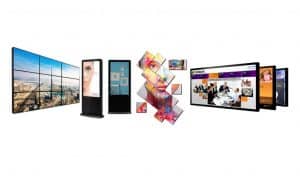
Digital signage refers to the use of electronic screens such as TVs, kiosks, or LED displays to show dynamic multimedia content, including images, text, video, audio, or live data.
These displays are commonly used in public and private spaces like restaurants, retail stores, offices, hotels, schools, healthcare facilities, and sports venues. Businesses and organisations use digital signage for advertising, sharing information, reinforcing branding, guiding visitors, and delivering timely updates.
What is a Digital Signage System?
A digital signage system is the complete setup that allows digital screens to display and manage content in a controlled and reliable way. It includes not just the display itself, but the technology that delivers, schedules, and updates content on that screen.
While LED or LCD screens are the most visible part of digital signage, they are only one component. Behind the screen, media players, software, and network connections work together to ensure content runs smoothly, updates correctly, and stays available around the clock. This combination of hardware and software is what makes digital signage a system rather than a simple display.
Digital signage systems generally fall into two categories: networked systems and standalone systems. Networked systems use a content management system (CMS) to update content remotely, while standalone systems rely on local storage such as USB drives or internal memory and are best suited for locations where content rarely changes.
What are the key components of a digital signage system?
Digital signage is more than just putting content on a screen. It’s a system made up of several parts that must work together to be effective. Whether you’re managing one display or hundreds, each part of the setup plays a role in delivering your message clearly and reliably. Here’s a breakdown of the seven essential components that power a successful digital signage system.
1. Displays

Displays are the screens where content appears. They act as the visual output for videos, images, announcements, or real-time data. While displays are the most visible part of the system, their effectiveness depends on choosing the right type for the environment.
Common display types include:
- LCD: Suitable for indoor locations such as offices, waiting areas, and corridors
- LED: Brighter and more durable, making them suitable for outdoor or window-facing areas
- OLED: Known for high contrast and color accuracy, often used in premium environments
Even consumer-grade TVs can work in some setups when paired with the right media player and software. The key is matching the display to lighting conditions, viewing distance, and usage hours.
2. Media Players
Media players are the devices that run and display content on the screen. They connect directly to the display and communicate with the content management system to ensure the correct content plays at the right time.
There are two main types:
- Built-in media players: Found in many smart displays, simple to use but limited in performance
- External media players: Dedicated devices that offer better reliability, stronger processing power, and support for advanced features such as 4K playback
For professional signage that operates continuously, external media players are usually the preferred option.
3. Content
Content is what viewers actually see on the screen. This may include promotional visuals, menus, announcements, dashboards, or live feeds. Strong content ensures the system delivers value rather than becoming background noise.
Content typically falls into two categories:
- Pillar content: Long-term information such as brand messages, safety notices, or operating hours
- Leaf content: Time-sensitive items such as promotions, events, or updates
Using structured content planning helps keep screens relevant and engaging over time.
4. Content Management System (CMS)
The CMS is the software that controls what appears on each screen. It allows users to upload media, schedule content, manage layouts, and distribute updates across one or multiple locations from a central dashboard.
- A CMS typically allows you to:
- Upload and manage images and videos
- Schedule content by time or date
- Assign content to specific screens or locations
- Integrate external data sources such as calendars or social feeds
The CMS acts as the central control point for the entire signage network.
5. Hardware
Hardware includes the physical components that support and protect the signage system. While often overlooked, proper hardware ensures safety, durability, and long-term stability.
Common hardware components include:
- Mounts and brackets
- HDMI and power cables
- Surge protectors or power management units
- Protective enclosures for outdoor or public environments
Hardware requirements vary depending on location, installation type, and environmental conditions.
6. Device Management System
A Device Management System allows operators to monitor and control signage devices remotely. In many platforms, this functionality is built into the CMS rather than being a separate tool.
Device management features typically include:
- Monitoring device status and connectivity
- Remote reboot and troubleshooting
- Grouping devices by location or function
This layer helps reduce downtime and simplifies large-scale deployments.
7. Network Connectivity
The network connects displays, media players, CMS, and management tools. A reliable network ensures content updates are delivered on time and screens remain synchronised.
A stable network allows you to:
- Update multiple screens remotely
- Keep content consistent across locations
- Deliver targeted content based on location or conditions
Without proper connectivity, content updates can fail or become outdated.
How Does a Digital Signage System Work? (Step‑by‑Step Breakdown)

A digital signage system works by delivering content from a central control platform to screens in real time. Once the system is active, software, network connectivity, and playback devices work together to ensure the correct content appears on the correct screen at the intended time.
Content Is Created and Prepared
The process starts with content creation. Businesses prepare visuals such as images, videos, menus, announcements, dashboards, or live data feeds. This content is designed for quick visibility, clear communication, and consistent branding across screens.
Well-prepared content ensures messages remain easy to understand and effective in fast-moving environments.
Content Is Uploaded to a CMS
All content is uploaded to a Content Management System (CMS). The CMS acts as the central control layer where users organise media, create schedules, build playlists, and assign content to specific screens or locations.
From the CMS, operators control:
- what content plays
- when it plays
- where it appears
This removes the need for manual updates at each screen.
Content Is Distributed Through the Network
Once scheduled, the CMS sends content instructions through a network connection, either via wired internet or Wi-Fi. The network ensures updates reach each screen accurately and remain synchronised across locations.
This allows businesses to manage single or multi-location deployments from one place.
Media Players Receive and Play Content
Media players connected to each display receive instructions from the CMS. These devices download, store, and render content locally, ensuring smooth playback even if connectivity is briefly interrupted.
The media player converts digital files into on-screen visuals and acts as the execution layer of the system.
Displays Show the Content
The display presents the content exactly as defined in the CMS. Whether showing scheduled messages, looping media, or live data, updates appear automatically without manual intervention.
At this stage, the system delivers the final output viewers see.
Device Monitoring Ensures Continuous Operation
A Device Management System monitors the health and performance of media players and displays. It identifies offline devices, playback errors, or connectivity issues and allows remote troubleshooting to minimise downtime.
This monitoring layer ensures the digital signage system operates reliably over time.
Types of Digital Signage
Digital signage comes in multiple forms based on technology, functionality, and installation location. Each type serves a specific purpose and environment, helping businesses choose the right solution for their communication goals. Understanding these types helps you choose the best setup for your needs.
Types of Digital Signage by Technology
Different screen technologies power different types of digital signage. Each offers unique strengths based on brightness, resolution, size, or installation needs.
1. LED Screens
LED screens use light-emitting diodes to produce bright, high-contrast visuals. They are ideal for environments where visibility is important, such as storefront windows or outdoor displays. LED screens work well both indoors and outdoors and support vibrant colors, even in direct sunlight.
2. LCD Screens
LCD screens are a common choice for indoor signage. They offer sharp resolution and use less power than many other display types. You’ll often see LCDs used in digital menu boards, self-service kiosks, and corporate office screens.
3. Projection-Based Signage
Projection signage uses a projector to display visuals on flat or curved surfaces. This is useful when you need a large display but don’t want to install physical screens. It’s often used for temporary setups, event displays, or creative installations where space or shape is a factor.
Types of Digital Signage by Functionality
Functionality describes how the signage is used and how it interacts with users. This category focuses on the purpose of the display and how it delivers content.
1. Interactive Digital Signage
Interactive signage allows users to touch, swipe, or use sensors to explore content. This type is often used in retail environments, wayfinding stations, or self-check-in kiosks. It improves user experience by giving people control over the information they see.
2. Advertising Digital Signage
Advertising signage is designed to promote products, services, or brands. These screens are placed in high-traffic areas like shopping malls, airports, or transit stations. Their main goal is to attract attention and boost visibility for campaigns.
3. Menu Boards
Digital menu boards are used in restaurants, cafés, and food courts. They display menu items, pricing, and promotions. They are easy to update and help improve customer experience through clear visuals and real-time changes.
4. Digital Wayfinding
Wayfinding signage helps people navigate large spaces. It displays interactive maps or directories in places like malls, hospitals, and airports. Users can touch the screen to find their destination and see the best route.
5. Video Walls
Video walls combine multiple screens into one large display. They are often used in control rooms, retail environments, or at public events to create a strong visual impact. These setups are ideal for brand storytelling, presentations, or data visualization.
6. Corporate Digital Signage
Corporate signage is used inside offices or workplaces. It displays meeting room schedules, company announcements, internal news, or key performance metrics. These screens help improve communication within teams and departments.
7. Dynamic Digital Signage
Dynamic signage updates automatically based on data, time, weather, or user behavior. For example, a screen might show different content in the morning than in the evening. This type is used to create more personalized, relevant messaging without manual updates.
8. Digital Posters
Digital posters are simple, static, or lightly animated screens. They are often used to replace printed posters in hallways, lobbies, or stores. These displays work well for announcements, branding, or basic promotions.
Types of Digital Signage by Location
The location of your signage affects the kind of equipment and content strategy you need. Screens installed outdoors need more protection and brightness, while indoor screens focus on clarity and design.
1. Indoor Digital Signage
2. Outdoor Digital Signage
Outdoor signage is built to withstand sun, rain, wind, and dust. It uses weather-resistant materials and often relies on high-brightness LED screens. Common examples include digital billboards, street-level signs, and transit shelter screens. These displays are used for public messaging and commercial advertising.
Benefits of Digital Signage for Businesses

1. Real-Time Content Update
Digital signage enables businesses to update content instantly across all locations through a centralized system. This means promotions, alerts, or announcements can be adjusted at any time without printing or manual work. It ensures consistency and accuracy in messaging.
2. Boost Brand Awareness
Consistent display of branded visuals such as logos, slogans, and product highlights strengthens brand identity. High-definition screens and motion graphics capture attention in busy environments. The more often people see your brand, the more likely they are to remember and trust it.
3. Increased Sales and Revenue
Displaying product features, limited-time offers, or upsells at the point of purchase influences buying decisions. Digital signage supports cross-selling and encourages impulse buys by showing the right message at the right time. This leads directly to higher conversions and sales.
4. Saves Cost
Digital signage removes the ongoing cost of printing posters, menus, or flyers. Content updates happen remotely, cutting down labor and material expenses. Over time, businesses save significantly on marketing and operational costs.
5. High Customer Engagement
Interactive screens and motion-based content grab and hold customer attention more effectively than static signs. Personalized and dynamic messaging enhances the customer experience. Engaged viewers are more likely to respond, stay longer, and make purchases.
6. Improves Internal Communications and Operations
In office environments, digital signage is used to display company news, performance metrics, event reminders, or emergency alerts. It replaces email clutter and ensures employees are always updated. This improves transparency, coordination, and overall operational efficiency.
How Digital Signage Is Used Across Different Industries
Digital signage serves as a communication and marketing tool across a wide range of industries. It allows businesses to display real-time information, manage updates remotely, and tailor content for specific settings or audiences.
- In retail, digital signage is used for product promotions, in-store navigation, and dynamic pricing updates. Digital advertising displays attract customer attention and influence purchasing decisions at the point of sale.
- Restaurants use digital menu boards to update prices, showcase special offers, and improve order speed. Drive-thru screens with interactive digital signage enhance service and reduce wait times.
- In corporate offices, it supports internal communication by sharing announcements, performance dashboards, and meeting schedules across departments using centralized digital displays.
- Hospitals and clinics use signage for wayfinding, patient alerts, and health awareness campaigns. It improves navigation and reduces administrative load.
- Educational institutions apply it for event schedules, emergency alerts, and campus-wide announcements, keeping students and staff informed in real time.
- Airports and transport hubs depend on digital signage systems for flight schedules, gate changes, and passenger instructions, ensuring smooth flow and up-to-date information.
How to Choose the Right Digital Signage for Your Business
1. Purpose & Goals
Define what you aim to achieve with digital signage. Whether it’s driving sales, improving internal communication, guiding visitors, or boosting brand awareness, your goals will determine the type of display, placement, and content strategy.
2. Budget
Set a realistic budget that includes hardware, software, installation, and ongoing maintenance. Decide between consumer-grade and commercial-grade solutions based on your usage needs. Investing wisely from the start ensures long-term performance and scalability.
3. Location & Screen Size
Choose whether the signage will be installed indoors or outdoors. Outdoor screens require weather resistance and higher brightness. Screen size should match the viewing distance and space—ensuring content is visible and engaging.
4. Content Management System (CMS)
Select a CMS that allows for easy content upload, scheduling, and remote management. Look for features like multi-user access, real-time editing, and integration with data sources. A reliable CMS improves control and efficiency.
5. Integration
Ensure the signage integrates with your existing systems such as point-of-sale software, databases, or sensors. This enables real-time updates and personalized content, enhancing both functionality and user engagement.
6. Durability & Maintenance
Use commercial-grade screens for high-traffic or 24/7 environments. Check for protective features like dust or water resistance for outdoor setups. Durable hardware reduces downtime and keeps maintenance minimal.
Final Thoughts
Digital signage changes how information is shared in physical spaces. Instead of static messages, businesses can update content instantly, respond to real-time needs, and communicate more clearly with the people in front of the screen. Understanding how the system works helps teams use it with purpose rather than treating it as just another display.
As technology continues to evolve, digital signage systems are becoming more connected, data-driven, and easier to manage. Features like cloud control, automation, and performance insights are shaping how organisations scale their signage and keep content relevant across locations.
Stream supports businesses in turning digital screens into practical communication tools. From initial setup to long-term management, Stream helps simplify digital signage so teams can focus on delivering the right message at the right moment.
Frequently Asked Questionsr
What content can I show on a digital display?
You may display video loops, images, animations, event schedules, social‑media feeds, live data, special offers, dashboards and branded messaging. A digital signage system enables you to broadcast content in real time and update messages centrally.
How much does it cost to set up digital signage?
Cost depends on display size, indoor vs outdoor grade hardware, number of screens, media player complexity, CMS licensing, installation and content production. Entry‑level solutions may begin modestly, while large networks incur higher investment. Over time remote updates and centralized control reduce incremental cost.
Do I need technical expertise to manage digital signage?
With modern content management systems CMS and cloud‑based solutions you may manage digital signage without deep technical skills. You design content, schedule it and the system handles playback, updates and analytics. For larger networks technical support or a partner is recommended.