.png)
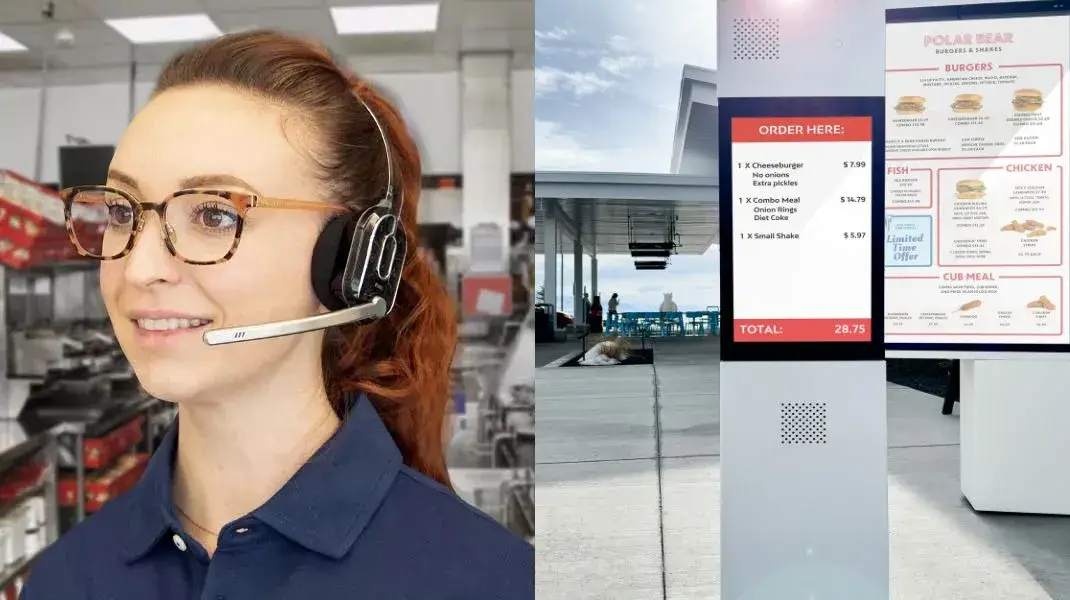
Communication keeps every drive thru operation running smoothly. When staff members hear customers clearly, they take orders faster, reduce mistakes, and maintain a steady service flow. Strong communication also improves teamwork and helps restaurants deliver a quick and hassle free customer experience during busy hours.
Poor audio quality or communication gaps can lead to wrong orders, delays, and frustrated customers. A drive thru headset system helps restaurants improve order accuracy, speed up service, and create a more efficient workflow. In this article, we will explain its key components, working process, and how to choose the right headset system for your restaurant.
What Is a Drive-Thru Headset System?
A drive-thru headset system is a two-way communication platform that connects customers at the order point with restaurant staff in real time. It enables order takers, kitchen crews, and managers to coordinate the full service cycle from a single vehicle arrival to order fulfillment.
It is a network of hardware components: headsets, a base station, a speaker post, and vehicle detection sensors. Together, these components move each order from placement to fulfillment with minimal delay and maximum accuracy.
The Core Components of a Drive-Thru Headset System
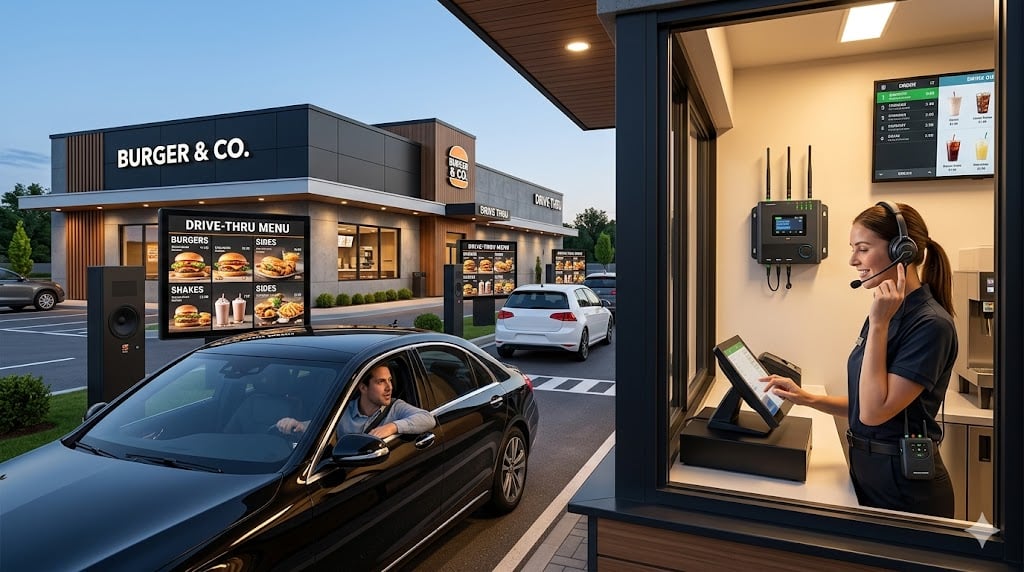
A complete drive-thru headset system consists of five primary components. Each plays a specific role in the communication chain.
1. The Headset
Order takers and kitchen staff wear the headset throughout their shift. It contains a microphone, a speaker, and, in commercial-grade systems, active noise cancellation technology that filters out kitchen equipment noise, vehicle exhaust, and ambient traffic.
Modern headsets are designed to be lightweight and ergonomic for all-day wear. Wireless models operate on rechargeable battery packs, while wired models connect directly to the base station. Leading brands available through Stream's dealer network including HME, PAR (formerly 3M), APEX, and Panasonic each offer headsets with different noise cancellation capabilities, battery configurations, and form factors suited to different restaurant environments.
The Base Station
The base station is the central hub of the system. It manages all connected headsets, registers new devices, controls communication channels, and displays system health information, including battery levels and network connectivity status.
In advanced systems such as the HME NEXEO | HDX platform, the base station features a 7-inch color touchscreen display mounted at eye level. It supports multiple languages allowing staff to interact with the system in their preferred language. The base station also manages simultaneous independent conversations, so a manager can coach a new employee one-to-one without interrupting the active drive-thru channel.
3. The Speaker Post (Outdoor Order Point)
The speaker post is the outdoor station where customers pull up and place their orders. It houses a weatherproof microphone and speaker and is engineered to function in high-noise environments including road noise, idling engines, and wind. Many modern speaker posts are paired with a digital order confirmation display, allowing customers to see their order on screen as it is entered, which reduces errors before the order reaches the kitchen. Stream's own drive-thru speaker post combines the speaker, microphone, and order confirmation screen in one unit.
4. The Vehicle Detection Sensor
The vehicle detection sensor is buried beneath the drive-thru lane surface or mounted as a motion detector. When a vehicle pulls over the detection pad, the sensor automatically triggers the headset system. This activates the order point, alerts the order taker via their headset, and starts the speed-of-service (SOS) timer.
This automatic trigger eliminates the need for staff to manually monitor the lane, allowing them to focus on serving the customer already at the window.
Battery and Charging Station
For wireless headset systems, the charging station ensures headsets are fully powered and ready at the start of every shift. In high-volume operations running multiple shifts back-to-back, proper charging station management is essential. Most commercial systems include enough battery slots to rotate headsets without service interruption during peak hours.
Improve Your Drive-Thru Efficiency With Our Professional Headset Systems
How a Drive-Thru Headset System Works: Step-by-Step Process
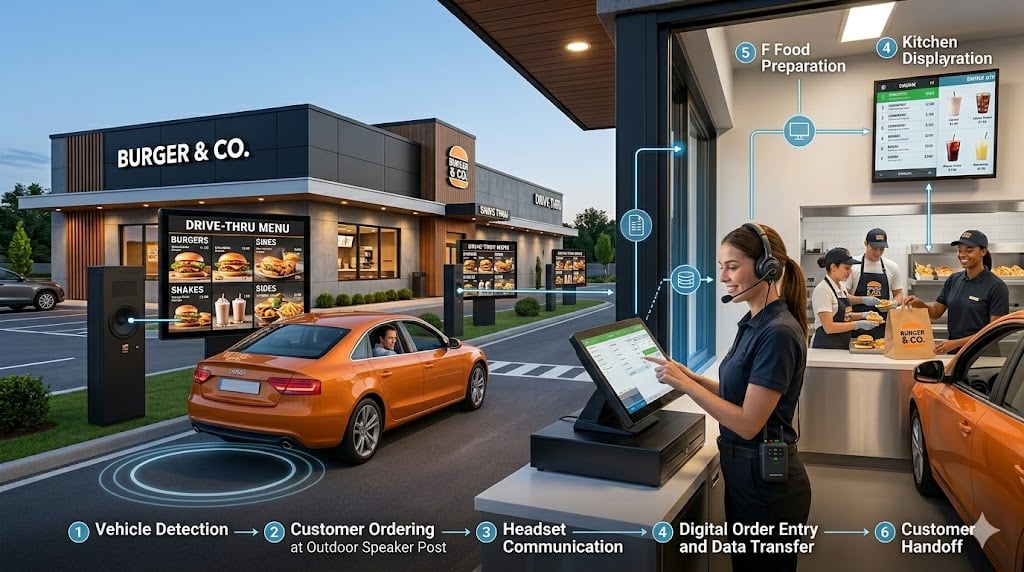
The full drive-thru communication cycle follows a precise sequence. Here is how each step unfolds from the moment a vehicle enters the lane:
Step 1: Vehicle arrives at the detection pad. The loop detector or motion sensor triggers the system automatically.
Step 2: The order taker is alerted. The headset notifies staff that a customer is approaching. The SOS timer starts.
Step 3: Customer speaks at the speaker's post. The microphone captures the order and transmits it through the two-way intercom to the order taker's headset in real time.
Step 4: Order taker confirms and enters the order. Staff repeat the order back to the customer and simultaneously enter it into the POS system.
Step 5: POS routes the order to the kitchen. The Kitchen Display System (KDS) receives the order instantly and displays it to the kitchen crew in sequence.
Step 6: The kitchen prepares the order. Staff coordinates via headset without leaving their stations — no shouting, no printed tickets passed by hand.
Step 7: Customer advances to the pickup window. The POS confirms the order is ready and paid.
Step 8: Order is handed off. The SOS timer stops. The restaurant captures metrics including order time, prep time, and total cycle time.
This eight-step cycle, when supported by a properly configured headset system, takes an average of 3 to 4 minutes in a well-run QSR operation. Communication failures at any step add wait time and increase order errors.
Wired vs. Wireless Drive-Thru Headset Systems
Both wired and wireless systems are in active use across QSR operations in the United States. The right choice depends on your lane configuration, staff size, and operational volume. Stream carries wireless drive-thru headset systems from HME, PAR, RF Technologies, and Panasonic.
Factor | Wired System | Wireless System (DECT 6.0) |
Staff mobility | Limited to cable range | Full freedom of movement |
Audio quality | Consistent, no battery dependency | High - dedicated frequency band |
Installation complexity | Higher cable runs required | Simpler - base station + headsets |
Operating range | Fixed | Up to 300 ft (PAR Clear, DECT 6.0) |
Wireless interference | None | Very low 1.9 GHz band (US standard) |
Hardware cost | Lower upfront | Higher upfront, lower long-term |
Multi-lane support | Requires additional wiring | Software-configurable on some models |
Most modern QSR operations use wireless DECT 6.0 systems. In the United States, DECT 6.0 operates on the 1.9 GHz frequency band, a band dedicated exclusively to DECT and similar communication services by FCC regulation. This means DECT 6.0 headsets do not compete with Wi-Fi (2.4 GHz / 5 GHz) or Bluetooth (2.4 GHz) for spectrum, resulting in a more stable, interference-free connection in busy kitchen environments where multiple wireless devices operate simultaneously.
DECT 6.0 also provides military-grade encryption by default, establishing an authenticated handshake between headset and base station before any communication occurs. This prevents unauthorized interception of drive-thru communications.
How Drive-Thru Headsets Integrate With Your Full System
The headset system functions as one node in a larger connected drive-thru technology stack. Understanding these integrations is critical for operators planning a new installation or upgrading existing equipment.
Point-of-Sale (POS) Integration
When the order taker enters the customer's order via the POS, the system instantly routes it to the kitchen without a separate step. Advanced headset systems can connect directly to POS platforms, allowing performance data such as average order time per transaction to flow into centralized reporting dashboards.
Kitchen Display System (KDS)
The KDS replaces paper tickets with a digital display that shows orders in sequence, with timers and priority flags. The headset system and KDS work in parallel: kitchen staff hear instructions via headset and track the order queue visually on the KDS screen.
Speed-of-Service (SOS) Timer
The SOS timer starts the moment the vehicle is detected and stops when the order is fulfilled. Data from the timer integrates with the headset system to provide per-vehicle cycle time metrics. Managers can identify bottlenecks whether at the ordering stage, the preparation stage, or the pickup window and adjust staffing or process accordingly.
Digital Menu Boards and Order Confirmation Displays
Stream's digital drive-thru systems connect the headset communication layer with digital menu boards displayed at and above the speaker post. When a customer places an order, a confirmation display adjacent to the speaker post can show the order in real time, allowing the customer to verify accuracy before advancing to the window. This single integration reduces order errors significantly without requiring any additional verbal confirmation steps.
AI Ordering Modules (Emerging)
Some enterprise-level headset platforms now support third-party voice AI ordering. In these configurations, an AI system automatically takes the customer's order and sends it directly to the POS, freeing the order taker to focus on order preparation and window service. Human staff remains available as a fallback. This integration is available on platforms such as the HME NEXEO Pro system.
Build a Smarter Drive-Thru With Professional Headset Systems
Why the Headset System Directly Affects the Speed of Service
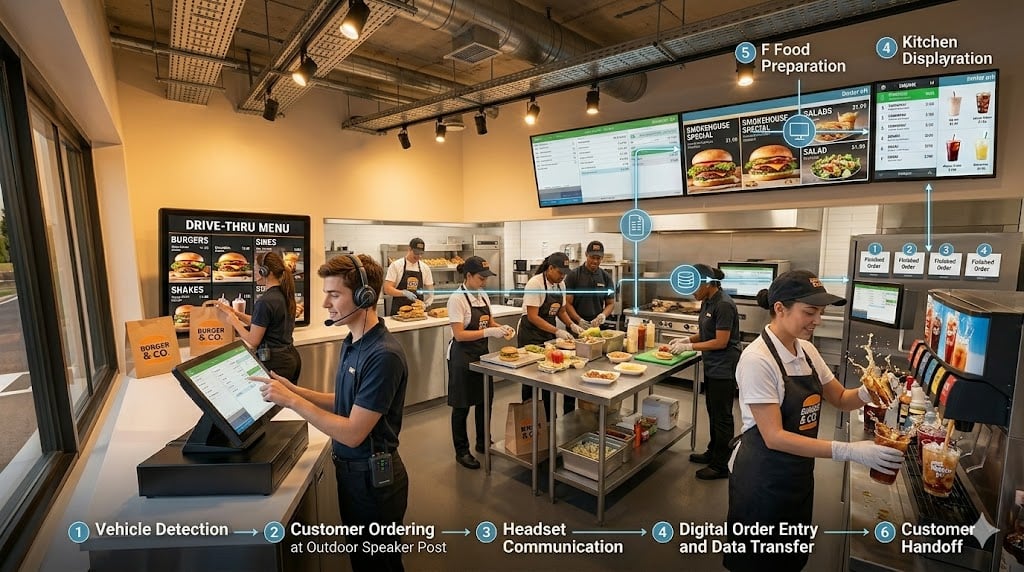
Speed of service is the primary performance metric in drive-thru operations, and the headset system is the single piece of technology most directly responsible for it. Four operational outcomes are tied directly to headset system performance:
Order accuracy. Two-way communication allows the order taker to repeat the order back to the customer for verbal confirmation before it is entered into the POS. This step, which takes approximately 5–10 seconds, prevents the majority of order errors that would otherwise require voids, remakes, and customer complaints at the window.
Peak-hour throughput. A properly configured multi-headset system allows simultaneous communication on separate channels: the order taker handles the customer while the manager coaches a crew member, and another staff member coordinates drink fulfillment, all without interfering with each other.
Staff coordination without physical movement. In a high-volume drive-thru, every step taken by a staff member away from their station adds seconds to the service cycle. Headset communication eliminates the need for shouted instructions or physical relay of information between the order point and the kitchen.
On-the-spot training. One-to-one coaching via headset allows managers to provide real-time guidance to new employees during live service without interrupting the drive-thru channel or making corrections audible to the customer.
What to Look for in a Drive-Thru Headset System
When evaluating headset systems for a new or existing drive-thru operation, assess these 7 criteria before selecting a platform:
- Noise cancellation quality: The system must filter both indoor kitchen noise and outdoor vehicle noise simultaneously. Test audio clarity during peak hours, not during a quiet demo environment.
- Battery life: Wireless headsets must last a full shift typically 8 to 10 hours without requiring a mid-shift charge. Confirm the battery cycle count before committing to a system.
- Operating range: Verify that the system covers your specific lane layout. Dual-lane and drive-thru configurations with long queue distances require systems with a minimum 200–300 ft range.
- Simultaneous user capacity: Confirm how many headsets the base station supports and whether simultaneous independent conversations are available on your target plan.
- POS and KDS compatibility: Confirm integration with your existing or planned POS platform before purchase. Not all headset systems integrate natively with all POS providers.
- Multi-lane support: If you operate or plan to operate dual drive-thru lanes, confirm whether multi-lane support requires additional hardware or is available via software configuration.
- Warranty and repair support: In a high-volume operation, headset failure during peak hours is a direct revenue loss. Confirm the vendor's repair turnaround time and availability of advance exchange programs.
Conclusion
A drive-thru headset system is not a standalone communication device, it is the operational backbone of the entire drive-thru experience. From the moment a vehicle is detected to the moment the order is fulfilled, the headset system connects every link in the service chain: customer, order taker, kitchen crew, and management.
Choosing the right system and integrating it properly with your POS, KDS, SOS timer, and digital menu boards determines whether your drive-thru operates at its full revenue potential or leaves throughput on the table.
We are ready to help you evaluate, install, and support the right system for your operation. Contact us now to get started.
FAQ
-
How far can a wireless drive-thru headset reach?
Most commercial wireless drive-thru headsets using DECT 6.0 technology cover up to 300 feet. PAR Clear, for example, uses DECT 6.0 to deliver the longest range in its class. This range is sufficient for the majority of single-lane and dual-lane QSR configurations, including those with extended queue areas.
-
Can a drive-thru headset system connect to a POS?
Yes. Advanced headset systems integrate with POS platforms so that orders entered by the order taker appear instantly on the Kitchen Display System (KDS) without a separate step. Some systems also feed order timing data into POS-based performance dashboards, giving managers visibility into the speed of service by shift, day, and lane.
-
What is the difference between a drive-thru headset and a drive-thru intercom?
A drive-thru intercom is a basic two-way communication device connecting the customer at the speaker post to one staff member inside. A drive-thru headset system is a fully operational communication platform. It supports multiple simultaneous users, manages separate communication channels, integrates with POS and SOS timer systems, and provides performance data capabilities that a standard intercom does not offer.
-
What wireless technology do commercial drive-thru headsets use?
Commercial drive-thru headsets in the United States use DECT 6.0, a wireless standard operating on the 1.9 GHz frequency band. This band is reserved by FCC regulation for DECT communication services, which means DECT 6.0 headsets do not interfere with and are not interfered with Wi-Fi or Bluetooth devices operating in the same environment.
-
How many headsets can a single base station support?
The number varies by system and plan tier. Entry-level systems typically support 3–5 simultaneous headsets. Enterprise platforms such as the HME NEXEO | HDX can support larger crews with multiple independent communication channels. Confirm simultaneous user capacity with your dealer based on your specific crew size and lane configuration.