Ever walked past a glowing screen in a mall, airport, or restaurant and wondered what’s actually powering it? Understanding the digital signage components behind these displays is more important than most people think. From the menu boards at your favorite coffee shop to dynamic city billboards, the digital signage ecosystem is everywhere and growing fast.
If you are a business owner or marketer looking to invest in digital signage system components, the options can feel overwhelming. Hardware, software, content, connectivity – where do you even begin? Without understanding the core components, it is easy to overspend, choose the wrong system, or end up with a setup that does not meet your needs.
That is exactly why we have broken it all down for you. In this post, you will discover the key components that make up a complete digital signage system and how each one plays a critical role in delivering impactful, real-time communication. Let’s dive in.
What Does Digital Signage Components Actually Mean?
Digital signage components refer to the core elements that form a digital display system used to present visual information on electronic screens. These elements include physical equipment such as commercial display panels, playback devices, mounting structures, and network connections, along with software platforms that organize and control the visual material shown on screens.
7 Key Major Components in a Digital Signage System
A digital signage system consists of several essential elements that work together to deliver multimedia content across screens.
Display Screens
Displays are the screens that show content and messages to viewers. These commercial screens are built for continuous use, high brightness, and durability in public or busy environments.
Types of Display Screens:
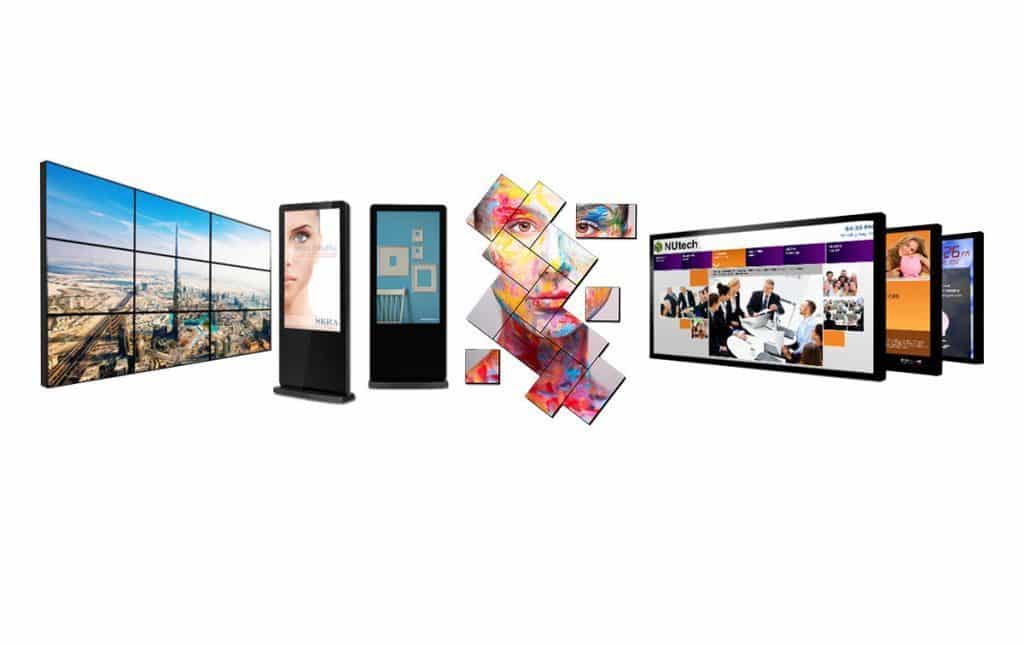
- LCD Screens – Provide clear visuals indoors and work best in controlled lighting conditions.
- LED Screens – Bright and durable, ideal for outdoor use and large video wall setups.
- Touch Screens – Interactive screens that work well in kiosks, wayfinding, and user-driven displays.
- Video Walls – Multiple screens combined for large-scale visuals, effective in advertising or information dashboards.
- OLED Screens – Offer high contrast and vibrant colors, suitable for premium indoor displays needing thin, lightweight screens.
Choose the right screen type based on its location and purpose to ensure clear, effective, and durable displays.
Media Players
Media players are devices that process and deliver content to screens, handling videos, images, interactive elements, playlist rotation, and scheduling from the CMS.
Types of Media Players:
- System-on-Chip (SoC) / Built-in Players – Integrated into the screen, these handle playback internally, best for simple or small-scale setups.
- External Players – Separate devices connected via HDMI or DisplayPort, suitable for high-resolution or interactive content requiring extra processing power.
- Plug-and-Play Sticks – Small, portable devices that plug directly into a display, offering quick deployment for basic content.
- OPS Slot-In Players – Modular devices inserted into the OPS slot, designed for large displays or complex installations with advanced performance needs.
Conclusion:
Pick the right playback device based on your screen type, content demands, and installation environment to ensure smooth and efficient operation.
Content Management System (CMS)
The CMS is the core of a digital signage system, managing how visuals and messages are organized, scheduled, and shown on screens. It allows administrators to upload content, create layouts, and control playback across multiple locations.
Using a CMS, organizations can update material remotely, automate playback schedules, and assign access to different team members. Advanced platforms also provide insights on audience interaction and performance metrics.
This central control ensures timely, consistent, and targeted messaging, simplifying management while enhancing the impact of digital displays.
Digital Signage Network
The digital signage network is the connectivity layer linking screens, media players, and the CMS. Whether managing a few screens or hundreds, a reliable network keeps all devices synchronized and ensures content, schedules, and monitoring signals are delivered consistently.
Connections can be wired (Ethernet) or wireless (Wi-Fi) depending on the installation. Wired setups provide stable performance for high-resolution content and video walls, while wireless works for smaller or temporary deployments.
A strong network enables real-time updates, synchronized playback, and consistent operation across multiple locations, keeping the system efficient and dependable.
Content
Content is the information displayed on digital signage screens, including images, videos, animations, live feeds, and interactive elements. It communicates the message viewers need to see.
Organizations use templates, design tools, and editing software to create content that is clear, readable, and concise.
Digital signage content serves many purposes such as promotions in stores, patient instructions in hospitals, announcements in schools, or menus in restaurants. Interactive screens and kiosks allow viewers to engage directly with the information.
Hardware Infrastructure
Hardware infrastructure refers to the additional equipment required to support a digital signage system. This includes mounting structures such as wall brackets, ceiling mounts, freestanding kiosks, and frames used for video wall installations.
Outdoor setups require protective enclosures to shield screens from weather, dust, and temperature changes. Organized cable routing helps maintain clean installations and stable power connections.
Proper hardware support protects display equipment and helps maintain stable, long-term operation in commercial environments.
Device Management System
A device management system helps monitor and control the devices used in a digital signage setup. It allows administrators to track screen status, connectivity, and system health through a central dashboard.
Remote management tools notify teams when a device goes offline, content stops playing, or technical issues occur. Administrators can apply updates, fix problems, or restart devices from a remote interface.
This monitoring process helps maintain stable operation and reduces the need for manual checks at each display location.
What Makes Digital Signage Components Vital for Multi-Location Businesses
Companies rely on these components to create a structured communication platform that distributes promotions, announcements, navigation instructions, menus, or operational updates through digital displays. The hardware delivers the visuals to viewers, while the software platform manages content uploading, scheduling, and distribution across multiple locations. This combination allows organisations to control screen content from a central interface, update messages instantly, and maintain consistent communication throughout their display network.
Performance and Reliability
The system’s hardware and software work together to ensure content plays smoothly without interruptions. Reliable components reduce downtime and maintain consistent display quality.
Scalability and Management
Digital signage setups can grow across multiple screens or locations. Centralized control allows easy monitoring, scheduling, and management of all devices from one platform.
Content Flexibility and Interactivity
Supports a variety of media types including videos, images, and live feeds. Interactive features let users engage directly with the display, enhancing the overall experience.
Real-Time Updates and Audience Engagement
Content can be updated instantly to reflect new information or promotions. This allows organizations to keep viewers informed and responsive to changing needs.
How to Choose Components Based on Your Business Needs
Before selecting your components, consider three key factors: your installation environment, your audience expectations, and your communication goals. Once you identify these, matching the right digital signage system components becomes much more straightforward.
Small Business Setups
Small businesses usually prefer straightforward setups that include a commercial screen, a compact playback device, and a cloud-based content platform. This approach allows quick updates without complex infrastructure, making it an ideal entry point into the digital signage ecosystem.
Retail Environments
Retail environments require high-definition displays and dynamic visuals to highlight promotions, product details, and seasonal campaigns. Centralized control across multiple locations makes managing digital signage components efficient and consistent.
Corporate Workplaces
Corporate workplaces use screen networks to share internal announcements, meeting schedules, and performance metrics. This setup requires dependable connectivity and organized system oversight to keep communication flowing across departments.
Outdoor Installations
Outdoor installations demand specialized equipment such as high-brightness panels, weather-protected enclosures, and durable mounting structures. These elements work together to maintain visibility and performance under changing environmental conditions.
Making the Right Choice
To make the right choice, start by identifying your installation setting. Then define your operational goals and finally match your requirements to the components that support long-term reliability. Choosing the right combination helps organizations maintain clear communication, efficient control, and consistent performance across their entire display network.
Conclusion
Understanding the right digital signage components is the first step toward building a system that truly works for your business. When each element, from display screens and media players to content management software and network infrastructure, is selected with purpose, the result is a signage system that communicates clearly, operates reliably, and scales with your needs.
Whether you are running retail promotions, managing corporate communications, setting up a small office display, or installing outdoor screens, the right digital signage system components make all the difference. Every business has unique requirements, and taking the time to understand yours ensures that your investment delivers consistent performance across every location.
Building a well-connected digital signage ecosystem does not have to be complicated. With the right guidance and the right components in place, your business can deliver impactful messages, maintain organized schedules, and keep your audience engaged at every touchpoint.
Ready to build your digital signage system?
Stream provides end-to-end digital signage solutions, offering expert guidance on selecting the right components, setting up scalable networks, and managing content effectively. Let Stream help your business achieve a dependable, high-performing signage system that grows with you.