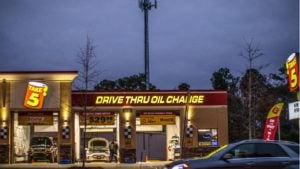
The average drive-thru service time sits at 5 to 6 minutes per vehicle. Digital systems are targeting below 4 minutes. For a location running 300 vehicles a day, that gap adds up to hours of recovered capacity every shift and that is before factoring in order accuracy, upsell consistency, and staffing.
Not every operator needs a full digital overhaul. A single-location pharmacy serving 60 vehicles a day has different requirements than a QSR franchise processing 300. The right system depends on transaction volume, budget, customer base, and where the business is headed.
Stream has deployed digital drive-thru technology across restaurants and retail operators ranging from single-location independents to regional chains. This article compares traditional and digital drive-thrus across technology, cost, speed, staffing, and business fit so you can make the right call for your operation.
Traditional Drive-Thru vs Digital Drive-Thru at a Glance
Traditional drive-thrus are people-powered. Digital drive-thrus are technology-assisted. Everything else follows from that distinction.
Traditional systems rely on human interaction at every step. A cashier takes the order, processes payment, and hands off the product. Digital drive-thrus replace or enhance several of those steps with automation, software, and connected hardware.
The table below compares both systems across 12 operational attributes.
|
Attribute |
Traditional Drive-Thru |
Digital Drive-Thru |
|
Ordering Method |
Voice via intercom, cashier-confirmed |
Digital menu board, AI ordering, or mobile |
|
Menu Management |
Static printed or backlit boards |
Cloud-based, real-time updates |
|
Payment Processing |
Manual, card terminal, or cash |
Integrated POS, contactless, mobile wallet |
|
Staffing Needs |
Higher dependency on front-line staff |
Reduced staff per lane possible |
|
Customer Experience |
Familiar, personal, consistent |
Personalized, faster at peak times |
|
Order Accuracy |
Dependent on staff attention |
AI-assisted verification reduces errors |
|
Speed of Service |
Moderate — peaks slow throughput |
Higher throughput capacity with automation |
|
Data Collection |
Minimal, manual logging |
Real-time analytics, customer behavior data |
|
Initial Cost |
Lower setup cost |
Higher upfront technology investment |
|
Maintenance |
Hardware only (intercom, screens) |
Hardware plus software and connectivity |
|
Scalability |
Manual replication per location |
Standardized rollout across locations |
|
Revenue Tools |
Staff-led verbal upsell only |
Automated upsell prompts, day-parting, loyalty |
What Is a Traditional Drive-Thru?
A traditional drive-thru is a service lane where customers order through a speaker or intercom system, interact with a cashier at a window, and receive their order without leaving their vehicle. The model has been standard in fast food since the 1970s and remains common in restaurants, pharmacies, and banks.
The typical setup includes a static menu board near the entry, a speaker post for voice ordering, one or two service windows, and a cashier handling payment collection and order handoff. Staff manage the full workflow from order confirmation to product delivery.
Traditional drive-thrus are familiar, straightforward to operate, and require minimal technology. Their reliability comes from simple processes and staff who can handle exceptions in real time.
What Is a Digital Drive-Thru?
A digital drive-thru uses connected technology to automate or enhance the ordering, payment, and service process. The most visible element is the digital menu board, which displays dynamic content updated through cloud-based software. More advanced systems include AI-powered ordering, vehicle detection sensors, mobile ordering integration, and POS system connectivity.
Digital drive-thrus are not a single product but a technology stack. A business might implement digital menu boards only, or deploy a full system with AI ordering, geofencing for mobile orders, kitchen display system (KDS) integration, and customer data analytics. The scope depends on operational goals and budget.
Think of digital drive-thrus as an evolution of the traditional model rather than a replacement. The lane, the vehicle, and the service window still exist. What changes is how information flows through that lane.
How Traditional and Digital Drive-Thrus Work
Understanding each system’s workflow makes the operational differences concrete.
Traditional Drive-Thru Workflow
- Customer arrives and pulls into the lane
- Customer reads the static menu board
- Customer speaks their order through the intercom or speaker post
- Cashier confirms the order verbally or repeats it back
- Customer pulls forward to the payment window
- Cashier collects payment manually or via card terminal
- Customer pulls to the pickup window and receives their order
Every step involves a staff member. The system works well at low to medium volumes. During peak hours, throughput depends on how quickly staff can process each transaction.
Digital Drive-Thru Workflow
- Vehicle detection sensor or camera identifies the arriving customer
- Digital menu board displays personalized content based on time of day, past orders (with loyalty integration), or current promotions
- Customer places their order via the menu board interface, AI voice system, or pre-submitted mobile order
- Order routes automatically to the kitchen display system
- Payment processes through an integrated POS, contactless terminal, or mobile wallet
- Order status updates in real time — staff fulfill and hand off
The key difference: information moves through the system automatically. Staff attention shifts from order-taking and payment processing to fulfillment which is where speed is actually gained.
Head-to-Head: Traditional vs Digital Drive-Thru
Customer Experience
Traditional drive-thrus offer a consistent, familiar experience. Most customers know what to expect: read the board, say the order, pay, collect. For straightforward orders, the process works well and creates minimal friction.
Digital drive-thrus extend that experience with personalization. A loyalty-linked customer might see their usual order suggested before they speak. A digital menu board can display a limited-time offer in the morning that is automatically replaced at noon. Contactless ordering reduces perceived wait time because customers feel in control of the interaction rather than waiting for a staff response.
The trade-off: digital systems introduce a small learning curve for customers unfamiliar with the interface. This matters most in markets with older demographics or lower digital adoption rates.
Speed and Service Time
Speed of service is where digital drive-thrus show the clearest operational advantage at volume. Traditional systems handle moderate traffic well but struggle at peak hours. When multiple lanes fill simultaneously, staff become the bottleneck.
AI-assisted ordering and automatic POS integration reduce per-vehicle transaction time by eliminating manual order confirmation and payment handling. Industry estimates place average drive-thru service time at 5 to 6 minutes per vehicle at peak hours, according to QSR Magazine. Digital systems targeting high-volume locations aim to bring that below 4 minutes through queue management and parallel processing. Wendy’s reported a 22-second reduction in average wait time per transaction after deploying AI ordering across its pilot locations.
The speed advantage of digital systems becomes measurable when throughput exceeds 150 to 200 vehicles per day. Below that threshold, a well-staffed traditional setup can match it.
Order Accuracy
Human error in order-taking is a measurable problem. Mishearing an order, entering the wrong item, or missing a customization request creates wasted food, customer complaints, and refund costs. Order accuracy at human-run drive-thrus averages between 80 and 85%, according to the 2024 Intouch Insight Drive-Thru Report.
Digital systems address this directly. AI-powered ordering captures spoken requests as confirmed text, displayed to both the customer and the kitchen. Order confirmation screens at the payment point give customers a final review before committing. The same Intouch Insight study found order accuracy reached 95% when customers knew they were interacting with voice AI – a 10 to 15-point improvement over the human baseline.
These systems do not eliminate all errors but shift the error source from staff to customer input, which is easier to correct at the moment.
Staffing Requirements
Traditional drive-thrus are labor-intensive by design. At minimum, they need one person on the speaker, one on payment, and one on the pickup window. During peak hours, those roles often overlap or require additional staff.
Digital drive-thrus reduce the staffing requirement for order-taking and payment processing. A single staff member can manage what previously required two or three. This does not eliminate jobs but changes the role: staff move from transaction handling to order fulfillment and customer service where speed depends on hands, not screens.
For operators facing hiring challenges or rising labor costs, this shift has direct financial value. The National Restaurant Association found that 70% of restaurant operators report job openings they cannot fill and 45% say they do not have enough staff to meet current demand. See how AI voice ordering addresses the staffing gap at the speaker post specifically.
Technology Infrastructure
Traditional systems require an intercom or speaker post, a static menu board, and a standard POS terminal. Hardware is simple and failure points are few.
Digital drive-thrus require significantly more infrastructure: digital menu board panels with content management software, cloud connectivity, a compatible POS integration, and in advanced installations, AI ordering hardware, vehicle detection sensors, and loyalty system APIs. Each layer adds capability but also adds a potential failure point.
Connectivity is the largest operational risk. A cloud-based system that loses internet access during peak service hours creates more disruption than a static board that stays on. Redundancy planning, local caching, offline POS fallback is a required part of any serious digital drive-thru installation.
Cost of Implementation
Traditional drive-thru setup costs are low relative to digital. Basic equipment, installation, and staff training can be completed for a fraction of the investment a full digital system requires.
Digital drive-thru implementation costs vary widely by scope. Entry-level digital menu boards start at a few thousand dollars per display. Based on Stream’s deployment experience, a full AI ordering and POS integration system at a single QSR location typically ranges from $50,000 to $100,000 or more, depending on lane count, vendor, and software licensing fees. For franchise operators managing dozens of locations, per-unit costs compound quickly though volume pricing from vendors like SoundHound and Stream reduces that per-location figure significantly.
The ROI timeline for high-volume locations typically runs two to three years, driven by labor savings, upsell revenue, and reduced order errors.
Maintenance Requirements
Traditional systems require hardware maintenance only: speaker system checks, board illumination, and POS terminal servicing. Failure is usually visible and addressed with standard vendor support.
Digital systems carry a dual maintenance burden. Hardware still needs physical upkeep, and the software layer requires regular updates, security patches, and connectivity monitoring. Most vendors bundle this into a service contract, which adds to ongoing operational cost but removes the need for in-house technical staff.
Data and Analytics
Traditional drive-thrus generate almost no actionable customer data. Transaction counts and revenue figures come from the POS, but there is no granular insight into order patterns, wait times by lane, or the impact of menu changes.
Digital systems change this entirely. Cloud-based drive-thru platforms track average service time per vehicle, order composition by hour, menu item performance, and revenue per transaction. Real-time analytics allow managers to adjust staffing and menu content based on live demand data rather than end-of-day reports.
For multi-location operators, this data is the most underrated advantage of digital infrastructure. Standardization and performance benchmarking across locations becomes systematic rather than anecdotal.
Scalability
Traditional drive-thrus scale by opening new locations and replicating the same manual setup. Each location operates independently. Menu changes require physical reprinting. Policy updates travel through staff communication.
Digital systems scale differently. Menu updates push from a central cloud platform to every location simultaneously. Promotional content goes live across a franchise in minutes. Performance data from hundreds of locations aggregates into a single dashboard. The standardization benefits compounds with every location added.
Revenue Opportunities
Traditional ordering creates limited upsell opportunities. A cashier can suggest an add-on verbally, but consistency depends on staff training, shift energy, and timing under pressure.
Digital menu boards and AI ordering systems generate upsell prompts automatically on every transaction. A customer ordering a coffee might see a suggested pastry pairing. An AI ordering system presents personalized recommendations based on order history tied to a loyalty account. Dynamic menu content enables day-parting higher-margin items to appear more prominently at times when they are most likely to sell.
The 2025 Intouch Insight Drive-Thru Study found AI lanes achieved suggestive selling on 81% of visits, compared to 64% in traditional staff-run lanes. These are measurable revenue levers that traditional systems cannot replicate at scale.
Benefits and Limitations
Traditional Drive-Thru: Benefits
- Lower implementation cost – accessible for small and independent operators
- Simpler operations reduce the risk of technology-related service disruptions
- Staff handle unusual requests, complaints, and order changes in real time
- Familiar experience for customers across all age groups and technology comfort levels
- Easier staff training with no software or system requirements
- Lower ongoing maintenance costs with fewer technology dependencies
Traditional Drive-Thru: Limitations
- Higher labor dependency means service quality and speed vary with staff performance
- Static menus cannot update in real time, limiting promotional flexibility
- Limited data collection makes performance optimization difficult
- Service slows significantly during peak hours without additional staff
- Manual order-taking increases error risk, especially for complex or modified orders
- No integration with loyalty programs or mobile ordering platforms
Digital Drive-Thru: Benefits
- Faster service at high-volume periods through automated ordering and payment
- Improved order accuracy with AI-assisted capture and customer confirmation displays
- Real-time analytics enable data-driven decisions on staffing, menus, and promotions
- Personalized customer experience through loyalty integration and dynamic recommendations
- Mobile ordering integration allows orders to be placed before the customer arrives
- Labor cost reduction per transaction over time
- Cloud-based menu management enables instant updates across all locations simultaneously
Digital Drive-Thru: Limitations
- Higher initial investment creates a significant barrier for small operators
- Connectivity dependency creates service disruption risk if internet access fails
- Staff training requirements increase with each additional technology layer
- Ongoing software licensing and maintenance contracts add to operational costs
- Customer learning curve for unfamiliar interfaces, particularly in less tech-oriented markets
- POS, loyalty, and ordering platform integrations can introduce compatibility complexity
Which Drive-Thru System Fits Your Business Type?
Neither system is universally superior. The right choice depends on transaction volume, budget, customer base, and long-term growth plans.
Small Businesses
For independent restaurants, local pharmacies, or single-location operators, traditional drive-thrus remain the practical choice. The lower setup cost, simpler operations, and manageable staffing model fit a smaller-scale workflow. A small operator who serves 50 to 100 vehicles per day will not see a meaningful return on a full digital drive-thru investment. That said, entry-level digital menu boards are increasingly affordable and can add promotional flexibility without full system commitment.
Fast Food Chains
High-volume QSR operators benefit most from digital drive-thru technology. Speed of service, order accuracy, and throughput capacity at peak hours are competitive differentiators in this segment. The data analytics layer also allows franchise operators to standardize and optimize performance across locations. For chains processing 200 or more vehicles per day, the operational efficiency gains typically justify the technology investment within two to three years.
Coffee Chains
Coffee chains serve a high proportion of repeat customers with predictable order patterns. Digital drive-thrus with loyalty integration and personalized menu display are particularly well-suited here. A customer who orders the same drink every morning can be greeted with that suggestion before they speak, reducing transaction time and increasing satisfaction. Mobile pre-ordering also fits coffee purchasing behavior better than most other QSR categories.
Pharmacies
Pharmacy drive-thrus operate under a different set of requirements. Prescription verification, age confirmation, and regulatory compliance make the human interaction element more important than speed. Digital payment terminals and digital signage can improve the customer experience, but full AI ordering automation is less applicable here. A hybrid approach, combining digital payment processing with staff-led order handling, often suits the pharmacy context best.
Retail Pickup Services
Retail click-and-collect and curbside pickup services benefit from digital drive-thru infrastructure primarily through POS integration and order tracking. Geofencing allows the system to detect when a customer is approaching, trigger a staff alert, and have the order ready before the vehicle stops. This reduces wait time without requiring the customer to interact with any ordering interface at all.
Future of Digital Drive-Thru Technology
The next generation of digital drive-thru systems moves beyond ordering and payment into connected customer recognition. Several developments are already in early commercial deployment.
AI-powered voice ordering is improving rapidly. Early implementations struggled with accents, background noise, and complex customizations. Current systems from vendors like SoundHound and Presto handle multi-item orders with modifiers at accuracy rates competitive with human cashiers. By 2026, McDonald’s pilot locations are reportedly reaching 93% accuracy with a 12-point lift in guest satisfaction scores, according to CallMissed (May 2026).
Predictive menu recommendations will become more sophisticated as customer data matures. Rather than time-of-day logic, future systems will serve individual menu suggestions based on personal order history, current weather, and vehicle type associated with loyalty accounts.
Automated customer recognition through license plate detection and loyalty-linked vehicle profiles will allow returning customers to receive personalized service without scanning an app or identifying themselves. This closes the gap between the convenience of online ordering and the physical drive-thru experience.
Real-time analytics platforms will move from reporting to prescription — rather than showing what happened, they will recommend staffing adjustments, menu content changes, and inventory orders based on predicted demand.
For operators planning a drive-thru technology upgrade in 2026 or 2027, building toward a connected system now reduces the integration work required when these next-generation features reach standard deployment. The gap between pilot and widespread rollout is closing faster than most operators anticipated two years ago.
Is a Digital Drive-Thru Right for Your Operation?
The decision comes down to four questions:
- How many vehicles do you process per day? Below 100, traditional systems are often sufficient. Above 200, the digital ROI case becomes clear.
- What is your current order accuracy rate? If errors are a measurable cost, AI ordering addresses that directly.
- How often does your team skip the upsell? If the answer is “frequently,” automated prompts recover that revenue immediately.
- Are you managing multiple locations? Cloud-based digital systems scale in ways that manual replication cannot match.
Stream works with restaurant operators and retailers across the US to deploy drive-thru technology that fits the operation — not the other way around. Whether you are evaluating digital menu boards as a first step or planning a full AI ordering and drive-thru management deployment, talk to the Stream team to see what the right setup looks like for your location.
Frequently Asked Questions
-
What is the difference between a traditional drive-thru and a digital drive-thru?
A traditional drive-thru uses a speaker post, static menu board, and cashier-led ordering and payment. A digital drive-thru replaces or supplements those steps with cloud-connected digital menu boards, AI-assisted ordering, automated payment processing, and real-time analytics. The physical lane and service window remain the same; the technology handling information flow through that lane is what changes.
-
Is a digital drive-thru faster than a traditional drive-thru?
At high transaction volumes, yes. Digital drive-thrus reduce per-vehicle transaction time by eliminating manual order confirmation and payment handling steps. The difference is less significant at low volumes where a traditional system can process customers quickly without congestion. The speed advantage of digital systems becomes measurable when throughput exceeds 150 to 200 vehicles per day.
-
How much does a digital drive-thru system cost?
Costs vary significantly by scope. Entry-level digital menu board installations start at a few thousand dollars per display. Full AI ordering and POS integration systems at a single fast food location typically range from $50,000 to $100,000 or more, depending on lane count, vendor, and ongoing software licensing. Multi-location franchise rollouts negotiate volume pricing. Traditional drive-thru setups cost significantly less upfront.
-
What technologies are used in digital drive-thru services?
Core digital drive-thru technology includes cloud-based digital menu board software, AI voice ordering systems, vehicle detection sensors, integrated point-of-sale systems, kitchen display system (KDS) connectivity, contactless payment terminals, and customer data analytics platforms. More advanced installations add geofencing for mobile order detection, loyalty system APIs, and license plate recognition for customer identification.
-
Can digital drive-thru systems integrate with POS software?
Yes. POS integration is central to how digital drive-thrus function. Orders placed through AI ordering or digital menu interfaces route directly to the POS, eliminating manual entry. Most major digital drive-thru vendors support integration with widely used QSR POS platforms. The complexity of integration depends on the existing POS system and whether custom API work is required. Always verify compatibility with your current POS vendor before committing to a digital ordering system.