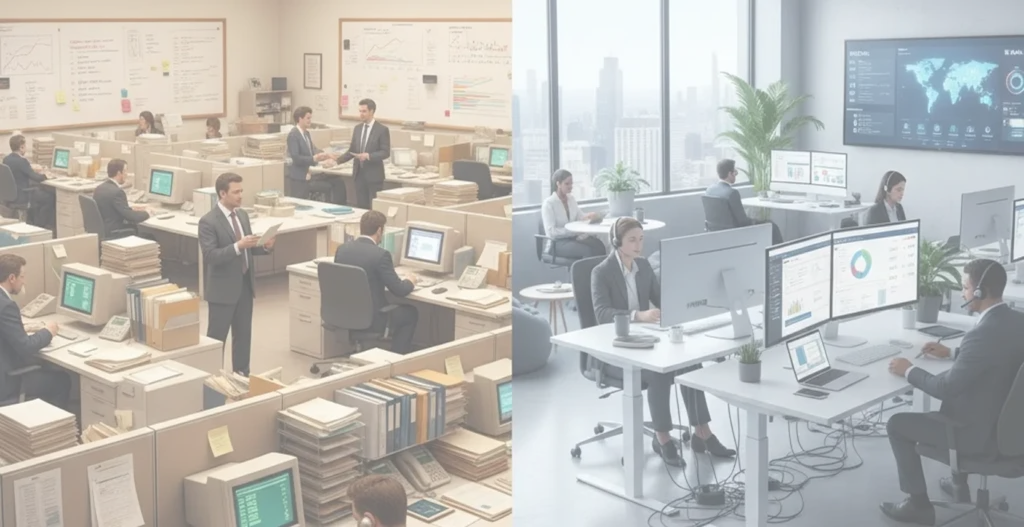
In many modern workplaces, communication breakdowns are common. Teams often miss important updates, email inboxes become flooded with unread messages, and vital information does not reach the right people at the right time. This disconnect slows down operations, reduces employee awareness, and creates unnecessary confusion across departments.
Digital signage offers a direct and effective solution by transforming regular office screens into real-time communication tools. With the right display system, organisations can deliver clear, timely messages that reach employees where they work, without relying on overloaded inboxes or scattered chat threads. Instead of long email threads or delayed updates, digital signage enables companies to broadcast relevant information instantly across departments, teams, and physical locations.
This guide explains how workplace digital signage improves day-to-day interaction, supports team participation, and promotes better internal communication. From solving common messaging gaps to using real-time dashboards and automating updates, the following sections explore practical steps and strategies to enhance clarity, engagement, and consistency in your office communication approach.
What Is Workplace Digital Signage?
Workplace digital signage refers to digital screens placed in key office areas to share internal messages, updates, and instructions with employees. These screens are connected to a central platform, allowing communication teams to manage and broadcast content instantly without relying on manual processes or printed materials.
Typical placements include office lobbies, staff rooms, production floors, meeting spaces, and warehouse zones. By displaying relevant content where work actually happens, digital signage ensures employees see the information that matters without depending on emails or meetings.
This system reduces inbox clutter and keeps teams aligned. Common uses include company announcements, safety alerts, shift schedules, training content, real-time operational updates, and performance metrics like KPIs that support a more informed and connected workplace.
Common Communication Gaps in Workplaces
Many workplaces face delays, missed updates, and overloaded channels that weaken internal communication. Digital signage addresses these gaps with timely, visible messaging.
Missed or Delayed Information
In large or multi-location workplaces, important messages often fail to reach everyone at the right time. Traditional methods such as emails or meetings depend on people checking their inboxes or being present. These channels lead to delays and are often ignored during busy periods, which risks missing critical updates that impact operations or safety.
Difficulty Reaching All Employees
Frontline and non-desk employees usually do not have consistent access to email or internal platforms. Without access to regular digital communication tools, these workers often rely on secondhand information or printed notices, which are easy to miss or outdated. This creates a gap in awareness and makes it harder to maintain alignment across teams.
Information Overload
Employees are frequently bombarded with emails, chats, and memos throughout the day. With so many messages competing for attention, it becomes difficult to separate the essential from the irrelevant. This information overload leads staff to ignore messages, even when they are important, resulting in lost clarity and weaker internal communication.
How Workplace Digital Signage Improves Everyday Communication
Digital signage improves internal communication by broadcasting clear, real-time messages that employees can see during their workday. It helps reduce delays, simplifies content delivery, and ensures teams stay informed without overloading traditional channels.
1. Sharing Updates in Real Time
Workplace digital signage enables instant publishing of updates, alerts, and announcements to all connected screens. This ensures that time-sensitive information reaches every location without delay.
2. Keeping Everyone Informed Without Overload
By using short headlines, visuals, and rotating displays, digital signage presents essential information in a clear and digestible format. This prevents information fatigue while maintaining awareness.
3. Showing Useful Data and Updates
Digital screens can display live dashboards with production metrics, sales goals, or performance stats. These real-time visualizations help teams track progress and stay aligned with targets.
4. Cost and Time Efficiency
Digital signage eliminates the need for printed materials and frequent meetings. By automating content delivery, it saves time, reduces paper use, and supports sustainable communication.
5. Clearer Internal Messages and Updates
Visual formats and short messages displayed on screens are easier to understand than long email threads. This leads to better message retention and faster internal response.
6. Shift Schedules and Operational Updates
For shift-based teams, digital signage provides immediate access to schedules, updates, and changes. This visibility helps prevent confusion and keeps operations running smoothly.
Use Cases for Digital Signage in the Office
Digital signage in the office helps streamline internal communication by broadcasting key updates in visible, high-traffic areas. From operational notices to culture-driven messages, these screens serve as a practical tool for engaging staff and keeping teams informed.
1. Announcements and Company News
Display systems share updates on new policies, leadership changes, and project milestones, helping employees stay in sync with the company’s direction.
2. HR, Schedules, and Everyday Info
Digital signage is ideal for sharing roster changes, upcoming holidays, payroll reminders, and training schedules that employees need to plan their day.
3. Safety, Compliance, and Emergency Alerts
Screens can quickly broadcast safety reminders, near-miss statistics, and emergency procedures, supporting a safer and more responsive workplace.
4. Culture, Recognition, and Engagement
Employee spotlights, birthday highlights, awards, wellness messages, and event announcements boost morale and build a stronger workplace culture.
5. Live Dashboards and Team Performance
Digital displays show real-time performance data, including KPIs, sales goals, support metrics, and customer feedback, helping teams stay focused and motivated.
How to Get Started with Workplace Digital Signage
Launching workplace digital signage requires a clear plan focused on communication goals, message types, screen placement, and simple tools. Starting with a small setup allows teams to learn what works and gradually build a system that supports smooth, consistent interaction across departments.
1. Set Your Main Communication Goal
Define the main purpose behind using digital signage, whether it’s to reduce missed messages, improve staff awareness, or support timely internal announcements.
2. Choose What Messages to Share
Decide on key message types to display, such as announcements, safety updates, shift schedules, event reminders, and employee recognition highlights.
3. Pick the Best Places for Screens
Place screens in high-traffic areas like entrances, break rooms, hallways, or near time clocks where employees naturally pass and can easily view updates.
4. Keep Messages Short and Clear
Use brief sentences, clear visuals, and bold headings to make messages easy to read and understand in just a few seconds.
5. Use Simple Tools to Update Content
Choose user-friendly software that allows non-technical teams to manage and update content without needing advanced skills or IT support.
6. Start Small and Grow From There
Begin with one or two screens, test message formats, collect feedback from employees, and expand the system as communication needs evolve.
Conclusion
Workplace digital signage helps teams stay informed, reduces missed messages, and builds a more connected and responsive work environment. It replaces scattered emails and overlooked updates with real-time, visible communication that reaches employees where it matters.
The impact comes not just from the screens but from the clarity and relevance of the content shared. When messages are timely and meaningful, teams engage better and stay aligned with daily goals and changes.
Explore Stream provides digital signage solutions tailored for internal communication. From choosing the right screens to setting up content and ongoing support, Explore Stream helps businesses improve how they interact with their teams. To get started, explore the solutions or contact the team for expert guidance.
Frequently Asked Questions (FAQ)
-
Is digital signage better than email for internal communication?
Yes, digital signage delivers updates in real time and reaches employees directly where they work. It reduces inbox overload and ensures critical messages are seen without relying on email open rates.
-
Do office digital signage screens work for remote or hybrid teams?
While screens primarily serve on-site staff, digital signage platforms can integrate with online tools to share the same content with remote or hybrid employees through web dashboards or internal portals.
-
How often should messages be updated on digital signage?
Content should be updated as frequently as necessary to stay relevant. Daily or weekly updates work well for schedules, safety notices, and KPIs, while urgent alerts should be pushed instantly.
-
What is the cost of workplace digital signage for offices?
Costs vary based on the number of screens, software, and setup. Small-scale systems may start with minimal investment, while larger networks require tailored solutions. Explore Stream offers scalable options to match different business needs.
-
Does digital signage help boost employee engagement and culture?
Yes, displaying employee spotlights, achievements, and event highlights supports a more engaged and motivated workplace. It helps reinforce company values and creates a sense of shared recognition across teams.